Practice Smarter in Just a Few Steps

Getting started with InterviewMason is quick and simple. Sign up, set up your profile, and start practicing real interviews within minutes.

Step 1

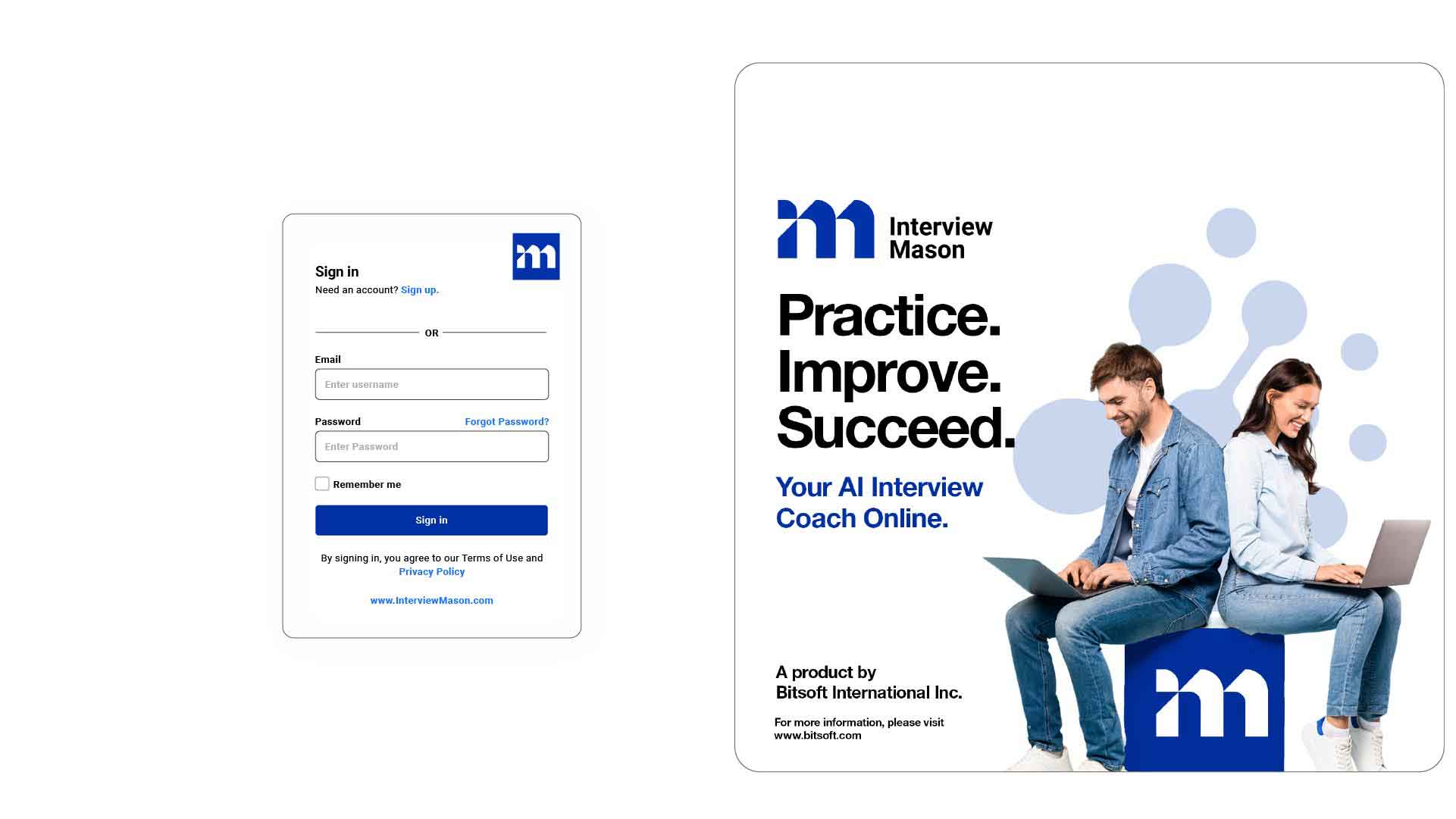
Sign Up Free

Sign up

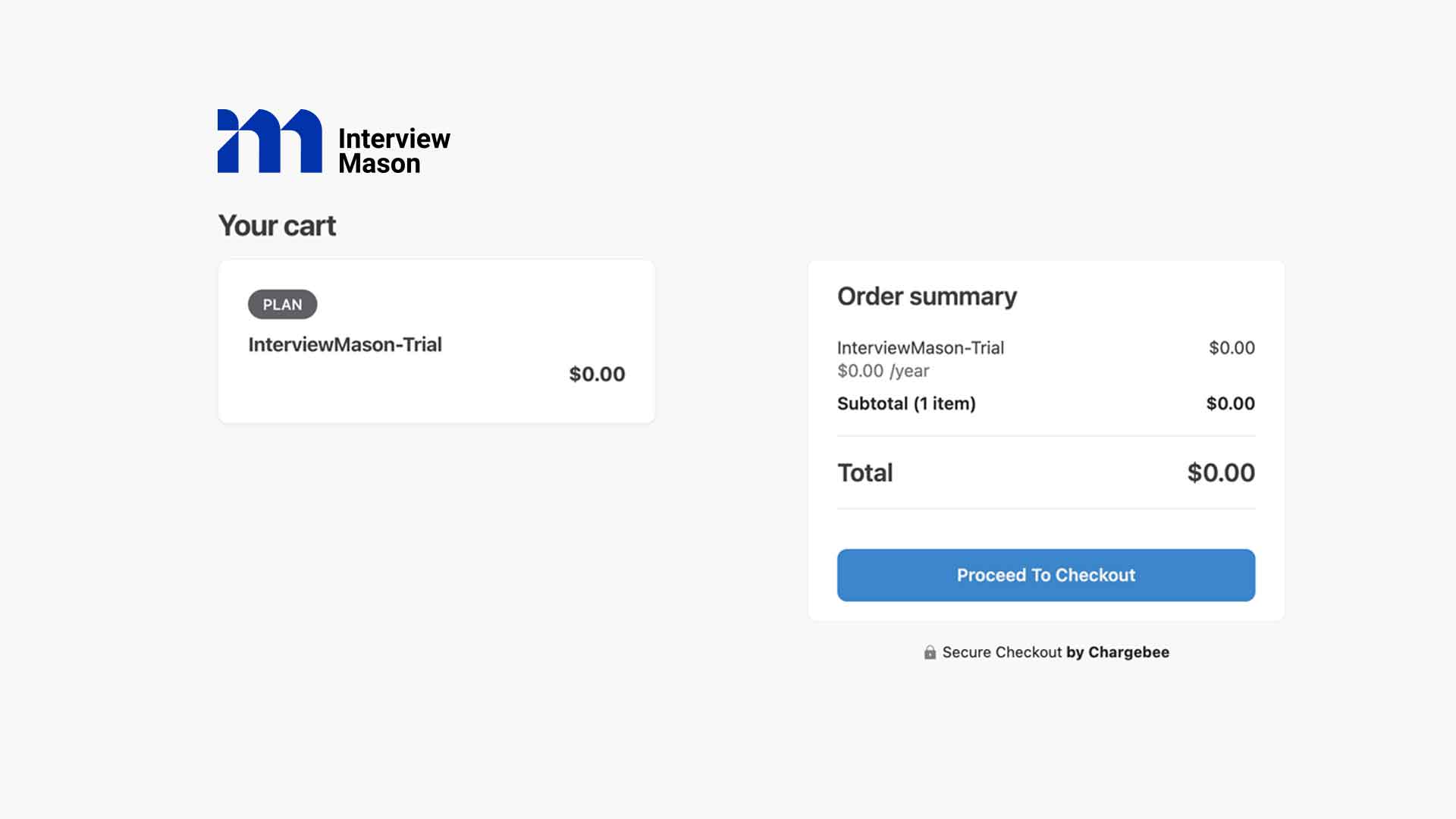
Start your 14-day free trial with no credit card required. Create your account and get instant access to AI-powered practice.

Login Screen InterviewMason

Step 2

Log In Anywhere

Login

Access InterviewMason anytime at Visit my.InterviewMason.com. Our platform works seamlessly on all major browsers.

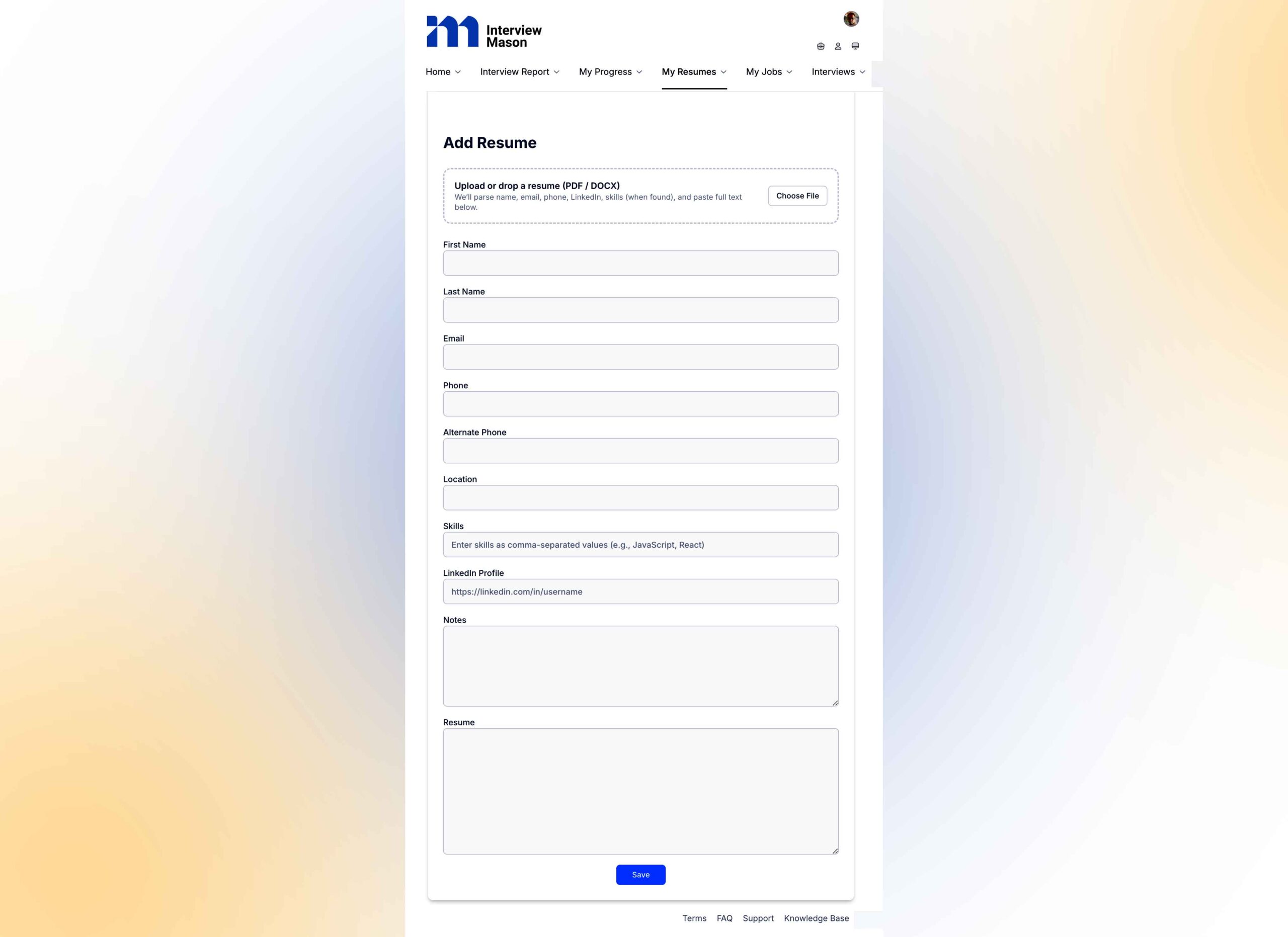
Upload CV

Step 3

Upload Your Resume

Upload Resume

Add your CV to let our AI generate personalized interview questions based on your experience and skills.

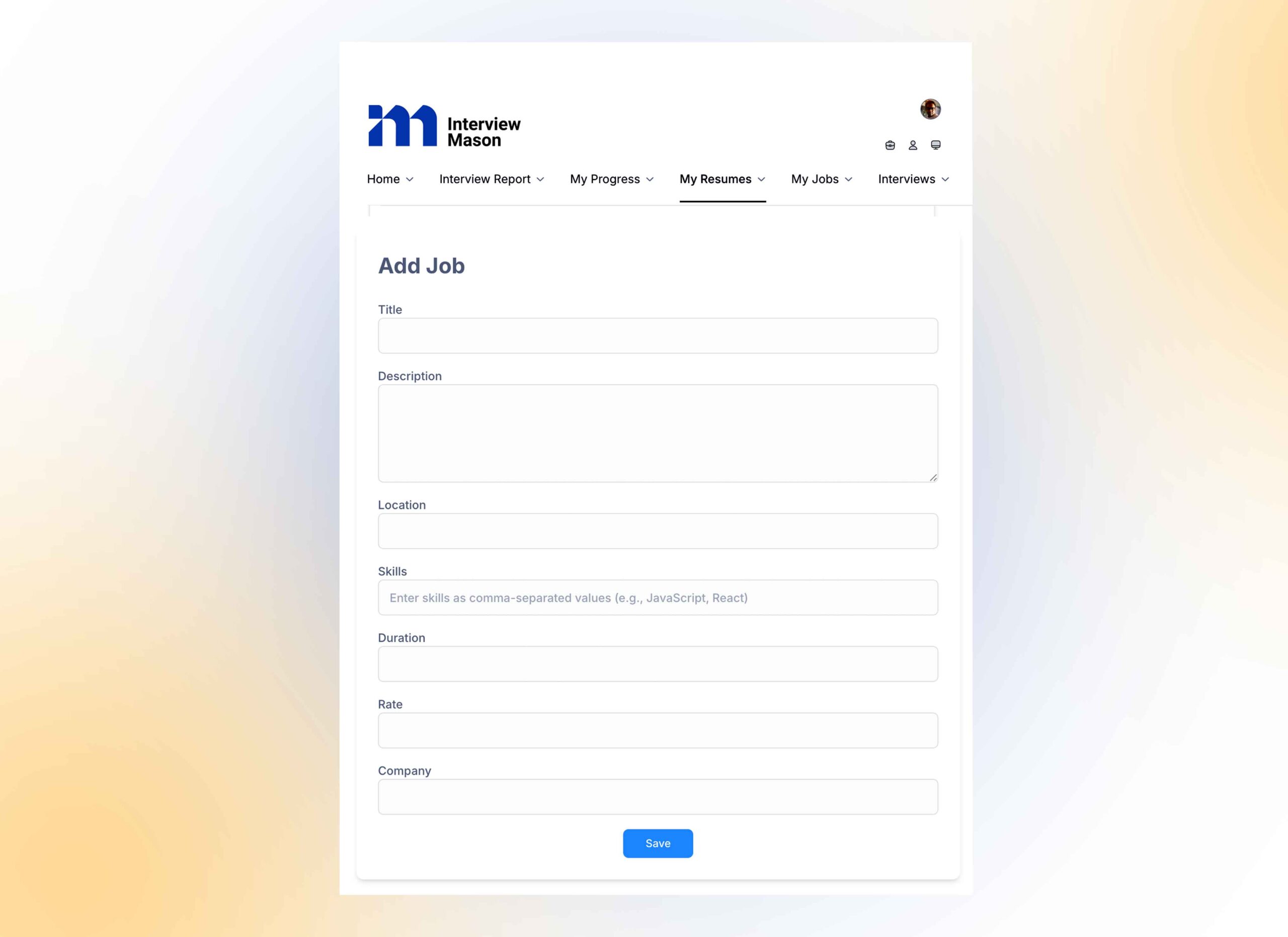
Add-job-role---Interview-Mason

Step 4

Add a Job Role

Add job

Enter a job description or role you’re targeting. InterviewMason tailors practice questions to match real-world expectations.

Step 5

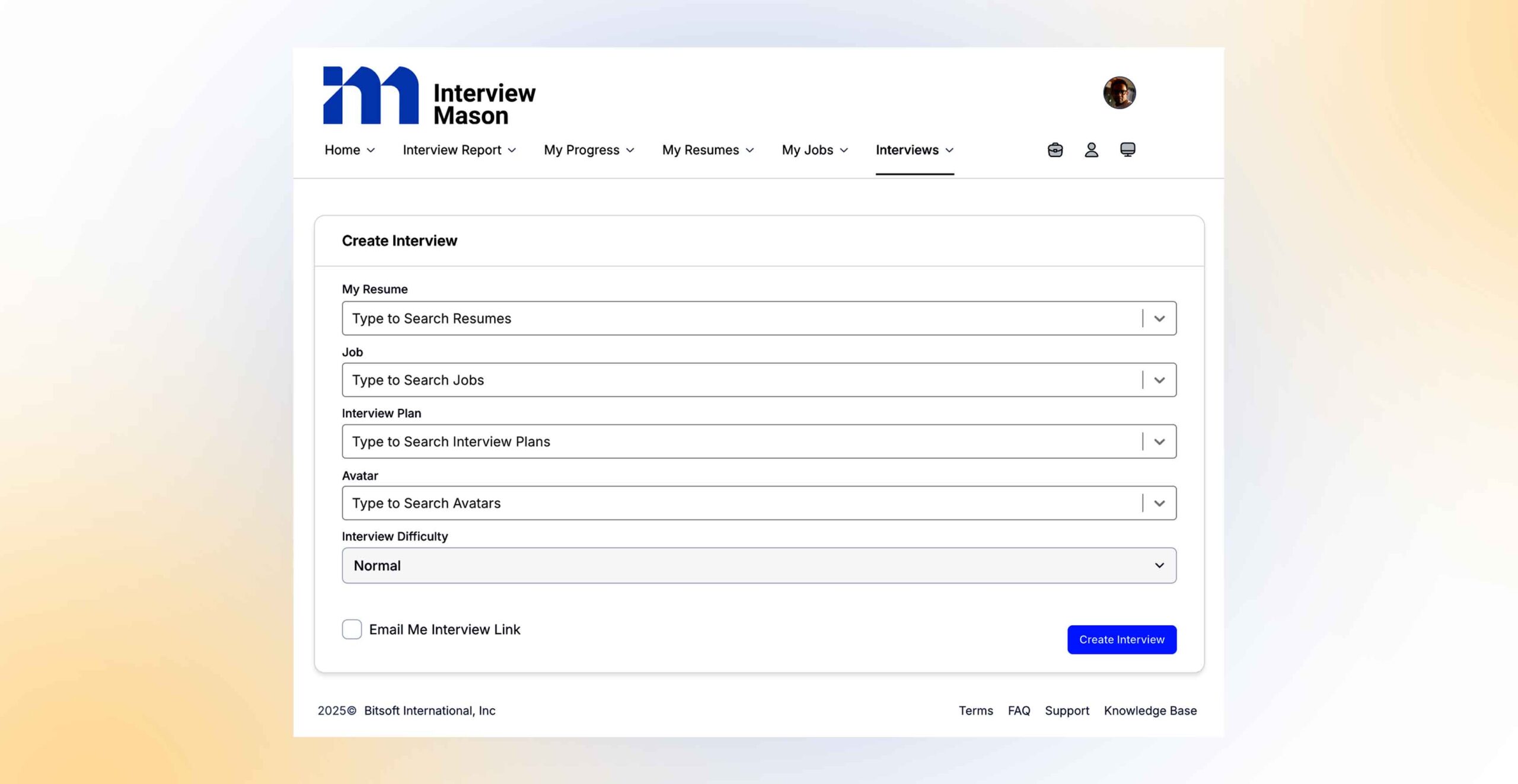
Create Interview

Choose Difficulty Mode

Create an Interview and select easy, normal, or hard mode depending on how challenging you want your practice session to be.

Interview Screen

Step 6

Start Interview

Let's begin

The interview link will be sent to your email address. Click the link, and when you are ready, click the Start Interview button. The interview link will be sent to your email address. Click the link, and when you are ready, click the Start Interview button.

AI Insights from Your Interview Assistant

Analyze your performance question by question

Understand exactly how you perform on every interview question you answer. Your AI Interview Assistant reviews your responses individually, evaluating clarity, structure, confidence, eye contact, engagement, and voice delivery. This helps you clearly see what worked, what did not, and how to improve your answers before your next interview.

Overall performance across the interview

See how your emotions evolve throughout each interview response. Your AI Interview Assistant tracks emotional balance across questions, helping you understand whether you appeared calm, confident, nervous, or distracted. These insights guide you toward better emotional control and a stronger overall interview presence.

Dashboard

Get a clear snapshot of your on screen presence and communication style. This section highlights eye contact, facial expressions, head movement, and overall body language to help you appear confident and interview ready.

Coaching Suggestions

Get actionable coaching based on your interview performance. Your AI Interview Assistant helps you improve eye contact, speaking pace, and overall communication impact.

Four Quadrant Success Guidelines

Master the balance of clarity, depth, confidence, and engagement to boost your AI interview score.

Clarity + Confidence

• Speak with a steady tone and avoid fillers.
• Structure answers with an introduction, key points, and conclusion.
• Maintain eye contact with the camera.

Depth + Confidence

• Provide detailed, relevant examples.
• Highlight technical or subject expertise when required.
• Show ownership of your experiences.

Clarity + Engagement

• Use simple language that is easy to follow.
• Smile naturally and keep facial expressions positive.
• Respond within the time frame without rushing.

Depth + Engagement

• Connect your answers to real life incidents.
• Adapt tone for the role (confident for leadership, analytical for technical).
• Keep gestures natural and body language open.

How to Know When Your Interview Starts and the Guidelines to Follow

Click Start Interview to begin

Respond clearly and confidently to each question.

If silent for 8 seconds, the next question will appear automatically.

Click Next Question to manually proceed.

DO NOT click Cancel Interview unless you want to cancel it. The interview will terminate on its own.